Invoice payment terms are the rules you put on an invoice for when and how a client pays you, and the three you’ll use most are net 30, net 15, and due on receipt. Get them right and you get paid on a schedule you can plan around. Get them vague and you spend your evenings chasing money you already earned. This guide breaks down what each term means, when to use it, and how to write terms clients actually honor. If you want to skip the theory, the free invoice generator builds an invoice with clear terms in a couple of minutes, and Freelancer Dashboard keeps the follow-up off your plate.
What are invoice payment terms?
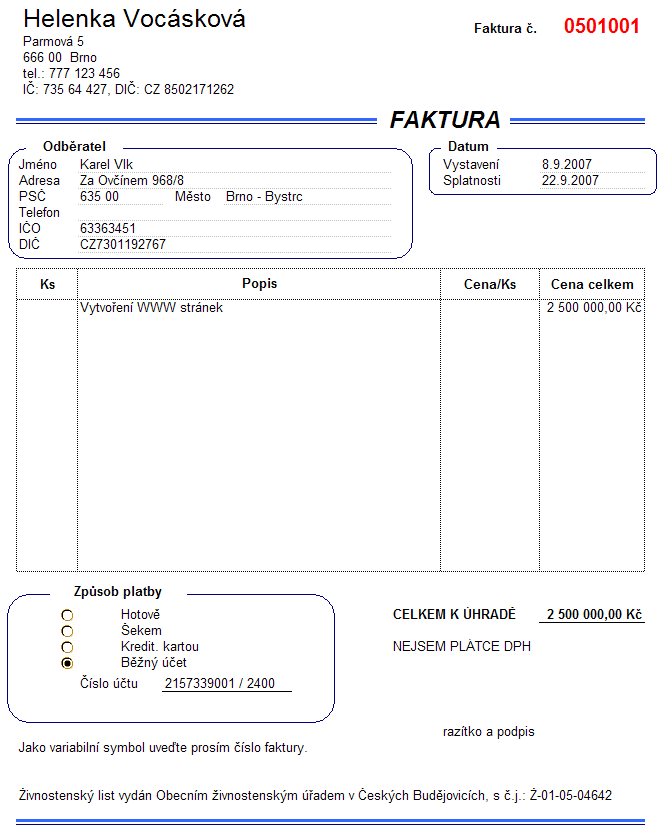
Invoice payment terms are the written conditions on your invoice that tell a client exactly when payment is due, how to pay, and what happens if it’s late. They turn a vague “pay me sometime” into a deadline you both agreed to. Strong terms cover four things: the due date (net 30, net 15, or due on receipt), the payment methods you accept, any deposit you want up front, and the late fee if the client misses the date. Put them on the invoice and in your contract, so there’s no gap between what you promised and what you can enforce.
The word “net” trips people up. It just means the full amount is due a set number of days after the invoice date. Net 30 is due in 30 days, net 15 in 15. That’s the whole trick.
Why payment terms matter for your cash flow
Payment terms are the difference between steady cash flow and a feast-or-famine freelance income. When your payment terms are clear and short, payments land on a schedule you can predict, and you can cover your own bills without sweating. When the terms are vague, invoices drift, payments stall, and one overdue client can sink a whole month. Good payment terms protect your cash flow, cut the number of overdue invoices, and spare you the “where’s my payment” emails that eat your week.
Late payments are a real tax on freelancers and small businesses. The fix isn’t chasing harder, it’s setting payment terms that make paying on time the easy default and paying late the exception. Tight terms, a clear due date, and a small late fee do more for your cash flow than any amount of polite nagging ever will.
Common payment terms, explained in plain English
Here are the billing terms you’ll run into most, and who each one fits. These payment conditions set when the money is due and how much credit you’re extending to the customer. You don’t need all of them. Pick the two or three that match how your clients and customers pay, and put them on every invoice.
| Term | What it means | Best for |
|---|---|---|
| Due on receipt | Payment is expected as soon as the client gets the invoice | Small jobs, one-off work, new clients |
| Net 15 | Full amount due 15 days after the invoice date | Solo clients, faster cash flow |
| Net 30 | Full amount due 30 days after the invoice date | The default for most business clients |
| Net 60 | Full amount due 60 days after the invoice date | Large companies that won’t budge |
| 2/10 net 30 | 2% off if paid within 10 days, otherwise the full amount in 30 | Nudging a slow payer to pay early |
| 50% deposit, balance on delivery | Half up front, the rest when the work ships | Big projects, first-time clients |
| EOM | Due at the end of the month the invoice was issued | Retainers and recurring work |
One thing to watch with net 30: it counts from the invoice date, not the day the client opens the email or approves the work. So date your invoice the day you send it, and send it the day the work is done. Every day you wait to invoice is a day added to when you get paid.
It helps to see net terms for what they are: a short loan. When you let a customer pay the total in 30 days, you’re extending credit and carrying the cost of the work until they pay. That’s fine for established businesses you trust, and risky for customers you don’t know yet. The longer the terms, the more credit you’re floating, so match the terms to how much you trust the customer to pay.
Net 15 vs net 30: which should a freelancer use?
Use net 15 when you can, net 30 when you have to. Net 15 cuts the wait between finishing work and seeing cash roughly in half, which matters a lot when you are the whole business and rent doesn’t run on net 30. Net 30 is the business-to-business standard, and bigger clients often won’t move off it because their accounts payable runs on a monthly cycle. Pushing a Fortune 500 to net 15 usually loses.
Here’s the honest play. Default your invoices to net 15. Stretch to net 30 only for clients who ask and who have a track record of paying. And for a brand-new client you’ve never billed, skip both and use due on receipt or a deposit, because the riskiest invoice you’ll ever send is the first one to someone you don’t know yet.
- Pick net 15 when cash flow is tight, the client is a small business or a solo operator, or the project is short.
- Pick net 30 when the client is a larger company, the relationship is steady, or net 30 is the price of getting the contract at all.
- Pick due on receipt or a deposit for new clients, small one-off jobs, and anyone who has paid late before.
How to set invoice payment terms that get you paid
Clear terms only work if you make them obvious and then enforce them. Here’s the sequence that gets freelancers paid on time, in order.
- State the due date as a real date. “Due July 15, 2026” beats “net 30.” A calendar date kills the mental math and removes the excuse.
- Ask for a deposit on bigger jobs. A 25% to 50% deposit up front is common, and it quietly filters out the clients who were never going to pay.
- List the payment methods you accept. Put them right on the invoice (bank transfer, card, whatever you take) so a client can’t stall on “how do I even pay this thing.”
- Put your late fee in writing first. Many freelancers charge 1% to 1.5% a month, but your state’s usury law sets the ceiling, so check it and write the fee into your contract before you ever charge it.
- Send a reminder before and after the due date. Most late payments are forgetfulness, not malice. A polite nudge a few days out, then one the day it’s due, clears the bulk of them without a fight.
A spreadsheet can hold your invoice list, but it won’t send those reminders or flag what’s overdue. That’s where the manual chasing creeps back in. See how the two stack up in our Freelancer Dashboard vs spreadsheets breakdown, and grab a head start with the free invoice templates.
Early-payment discounts and other ways to get paid faster
An early-payment discount pays a customer to pay you sooner. The classic is 2/10 net 30: take 2% off the total if you pay within 10 days, otherwise the full amount is due in 30. For a freelancer, a small discount can be cheaper than waiting two extra weeks for the cash, and customers who watch their costs will jump on it. Keep the discount modest, because 1% to 2% off the total is plenty, and state it on the invoice right next to the payment due date.
Discounts aren’t the only lever. A clear service description, the accepted payment methods listed up front, and an invoice that goes out the day you finish the work all shave days off how long you wait. Online invoicing software speeds this up further by letting a customer pay by card or bank transfer in one click instead of mailing a check. The easier you make it to pay, the faster most customers do.
Sample payment terms wording for your invoice
If you want something to copy, here’s clear payment terms wording for a freelance invoice. Adjust the numbers to fit your business and your customer.
- Payment due: Net 15. Payment is due within 15 days of the invoice date.
- Accepted payment methods: Bank transfer or card.
- Early-payment discount: 2% off the total if paid within 10 days.
- Late fee: A 1.5% monthly fee applies to overdue balances, as agreed in our contract.
- Deposit: 50% due before work begins, with the balance due on delivery.
Put the same payment terms in your contract so the invoice and the agreement match. When the wording is clear, most customers pay on time, and the few who don’t have no excuse and a late fee waiting. Spell out the discount, the fees, and the payment due date in plain language, because a customer can’t follow terms they can’t find.
Common payment terms mistakes freelancers make
The most common payment terms mistake is not setting any terms at all. An invoice with no due date and no late fee invites a customer to pay whenever it’s convenient, which is rarely soon. Here are the mistakes that cost freelancers the most cash.
- No due date. “Please pay soon” isn’t a payment term. Without a date there’s nothing to enforce and no late fee to trigger.
- Net 60 by default. Long terms wreck your cash flow. Don’t offer net 60 unless a client demands it and pays reliably.
- No late fee in the contract. Late fees you never agreed to are hard to collect. Put your fees in writing before the first invoice goes out.
- Invoicing late. Net 30 on a late invoice is really net 45. Send the invoice the day the work is delivered, not a week later.
- No deposit on big jobs. A month of work for a new customer with nothing up front is the fastest path to an unpaid invoice.
Can you charge a late fee on an overdue invoice?
Yes, you can charge a late fee, as long as you agreed to it with the client before the work started. A fee you spring on someone after the fact is hard to collect and easy to dispute. The rules are simple: name the fee in your contract and on every invoice, keep it reasonable (1% to 1.5% a month is common practice), and stay under your state’s usury cap, which limits how much interest anyone can legally charge. Those caps vary by state, so look yours up before you set a rate.
There’s no federal law that sets payment deadlines for private clients, so your contract is what you’ve got. Some states and cities have added freelancer-protection laws, like New York’s Freelance Isn’t Free Act, that give you extra rights and penalties when a client doesn’t pay, so it’s worth knowing whether your area has one. If your client is a federal agency, the federal Prompt Payment Act generally requires the government to pay within 30 days of a proper invoice. When a client blows past your terms anyway, here’s what to do when a client won’t pay.
How Freelancer Dashboard helps you get paid on time
Good payment terms only pay off if you actually follow up, and that’s the part most freelancers dread. Freelancer Dashboard is invoicing software built for solo freelancers and small businesses, and it handles the chasing for you. You send branded, professional invoices with your terms and a real due date built in, your customers pay online by card or bank transfer, and the app sends automatic late-payment reminders so you’re not the one writing “just circling back” for the third time. It also tracks income and expenses in one place, so you can see what’s paid, what’s overdue, and what to set aside for taxes without babysitting a spreadsheet.
You can start free at app.freelancerdashboard.com. The free tier covers a solo freelancer’s invoicing just fine. When you want more, Pro is $10 a month or $100 a year, and Pro Plus is $20 a month or $200 a year. No tier locks the basic invoicing behind a paywall.
Conclusion: terms are the cheapest insurance you have
Clear invoice payment terms are the cheapest insurance you have against late payments. Set a real due date, pick net 15 or net 30 on purpose instead of by accident, ask for a deposit when the job is big, and put your late fee in writing before you ever need it. Then let the follow-up run on autopilot. Check the pricing, build your next invoice with the free invoice generator, or see how the app beats a spreadsheet for tracking who owes you. For more on getting paid, read the guide to freelancer invoices, how to send invoices that get paid faster, and what to do when a client won’t pay.
Get your free freelancer invoice template pack
Plus weekly tips on managing clients, getting paid, and growing your freelance business.
No spam — we respect your inbox. Unsubscribe anytime.